


TL;DR: A creative production calendar lays out all the work behind each campaign asset: the brief, drafts, revisions, approvals, and handoff so your creative is ready ahead of when it’s due to go live. You do it in reverse chronological order, starting with the date of publication. And when you have a great plan but a lean team, campaign design services like Penji can help you get the work done.
Most teams have a marketing calendar. Almost no one has a production calendar.
And that gap is where campaigns fall apart. Your calendar says the ad drops on Tuesday, but nobody planned the work to make it happen.
Let’s change that. You’re leaving with the method, the numbers, and a real example you can copy.
Before we get into it, let’s discuss how this process differs from the calendar you’re probably already using.
What is a creative production calendar (and what is not)?

Your marketing calendar tells you what’s going out, when, and where. A production calendar answers an entirely different question: what work needs to happen, and when, for that asset to actually be ready?
This approach is the easiest way to look at it. The marketing lead is responsible for your marketing calendar and should include publishing dates and channels. Your content lead owns a content calendar. It tracks topics and publish dates. Your creative or ops lead has a creative production calendar. This is where the actual work is tracked: briefs, drafts, revisions, approvals, etc.
The production calendar is the layer under everything else. It records who owns what and how long each piece takes and who has to sign off all the things a publish date silently conceals.
You want the planning layer on top of that? See Penji’s step-by-step guide on how to plan campaigns with a marketing calendar.
That difference becomes clear as soon as your deadlines start to slip.
Why are your campaigns always behind schedule?
The trap is deceptively simple. Marketing calendars assume your creative is already there and done. It never happens.
Four things quietly consume your time:
- Time to head back. Assets take hours to build, not days.
- Editing. Almost nothing is right the first time.
- Approvals. Legal, brand, and client sign-offs take days.
- Capacity. Your team can only get so much done in a week.
You know the drill. The campaign launches Tuesday, and there you are Monday night watching your main asset go through one more round of revisions.
“Not bad luck. Nobody bothered to schedule the process. So let’s set it up.
How do you build your calendar step by step?
Here are six steps you can take for any campaign:
Step 1: List All of Your Assets
List every deliverable. Define the size and where each will be used.
So for example, an Instagram square post is 1080 pixels in width. A vertical video could be 30 seconds. Write it all down so you do not forget anything.
This list is the core of your whole calendar.
Step 2: Work Backwards from the Publish Date
This is the move that changes everything. Your actual start date is the publish date minus the time each step takes.
Suppose your post goes live on the 20th. Thus you begin on the 13th if design, edits and approval take a week. Counting backwards keeps you honest about timing.
Step 3: Actual Dates for Schedule Revisions and Approvals
Don’t expect to get it right first time round. Expect 1-2 rounds of revisions per asset.
Also, allow time for each reviewer. People get busy, so put a real deadline on their feedback This cuts down on forever-ness of approvals.
Step 4: Draw a Map of What Depends on What
Some assets depend on other assets being done first. Cannot start on banner ads until main visual is approved.
List these connections. This way you get things in the right order and don’t get stuck.
Step 5: Be Realistic About How Much Your Team Can Handle
In one week, sum up what is owed. Then compare it with what your team can actually do.
Don’t try to squeeze two big campaigns into the same seven days. When you overwork your team, they do rushed work and get burnt out.
6. Add Owners and Buffers
Assign a clear owner to every asset. Someone has to be responsible for moving it forward.
Then give a little time buffer before you publish. That cushion covers late approvals, or surprise edits. A day or two of breathing space saves a lot of stress.
Once you have these six steps down, all you need is a place to keep track of it all.
The structure is there; the right numbers make it accurate.
When do campaign design services deal with the real problem?

Here’s the ugly truth. You can see a calendar view of the plan. What it can’t do is give your team more hours in the day.
If your schedule is solid and assets still arrive late, then planning is not the issue. Capacity is
Keep your schedule on track with custom design services
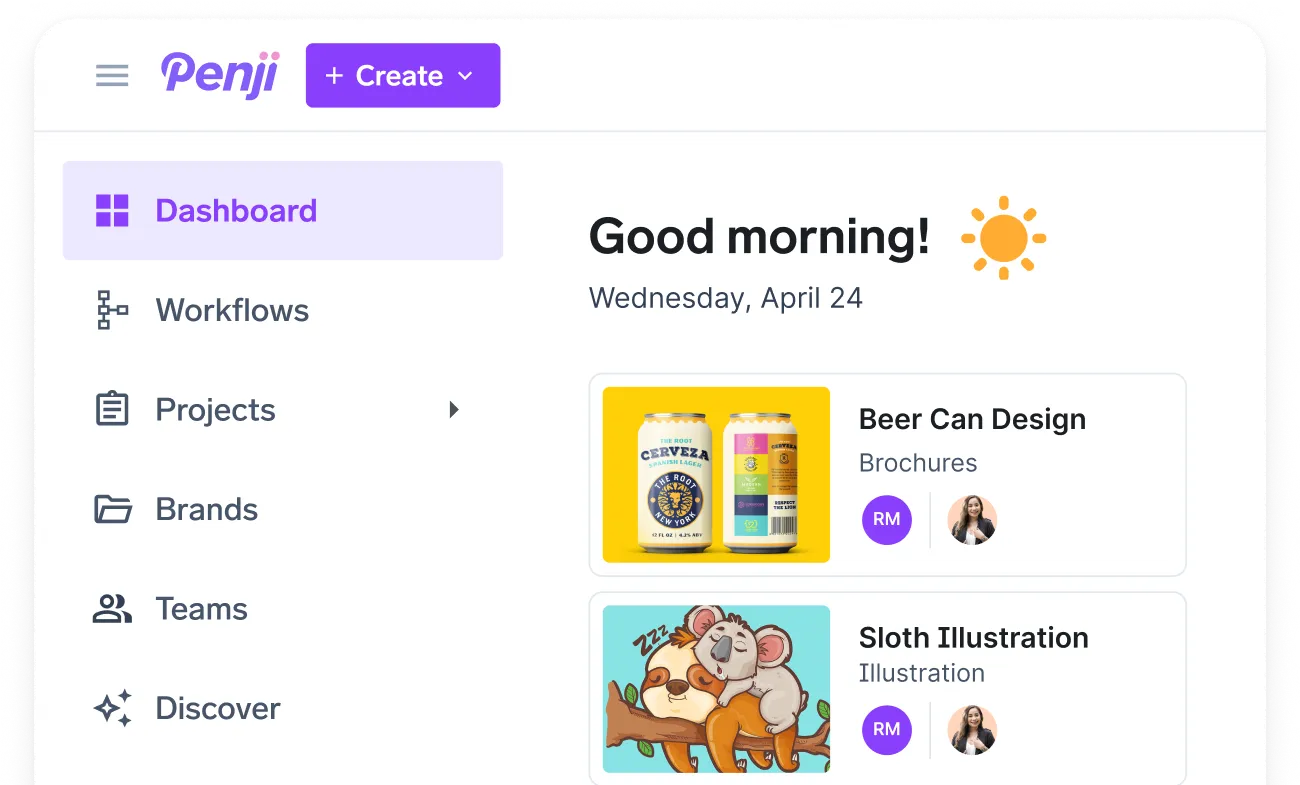
This is where design as a service comes in. Penji is an unlimited graphic design subscription intended to be your production layer. You don’t hire; you outsource design services to a dedicated team.
How do custom design services keep your calendar on track?
This is where design as a service proves its value. Penji is an unlimited graphic design subscription built to act as your production layer. Instead of hiring, you outsource design services to a dedicated team.
Here’s how it slots into your calendar:
- Fast drafts. You get a first draft in 24–48 hours or same-day on higher plans.
- Easy revisions. A “point & click” tool lets you mark changes right on the design.
- Consistent brands. Brand folders keep each campaign’s look in one place.
- A clear queue. The board shows Active, Queue, On Hold, and Completed work, so nothing disappears into a black hole.
These custom design services bend to fit your campaign, not the other way around.
Trying to keep that pipeline full? Here’s how to keep a steady stream of on-brand creative without hiring more staff.
One honest caveat: Penji works on one or two projects at a time, depending on your plan. And it won’t magically fix missing owners or scope creep you still need a real plan behind it.
Now let’s bring it all together with one example.
Conclusion
A creative production calendar makes a publish date an actual plan. You work backward from launch and know a revision and approval date for what it really is. You determine what depends on what. And you check against what your team can actually deliver every week.
Do that, and “we’ll be ready” goes from being a hope to being a plan. And when your plan is sound, but production simply can’t keep pace, the answer is more capacity, which is precisely what design as a service provides you with. See how Penji’s rapid turnaround and transparent project board keep all campaign assets on time. Schedule a demo today. Plans are month-to-month with a 30-day money-back guarantee so you can test it on a single campaign first.
Get a design package with unlimited graphic design
Try Penji risk-free for 30 days & get all the custom designs you need






FAQ’s
A marketing calendar helps track what is published, when, and on what channel. A creative production calendar is a way to track the work behind it: briefs, drafts, revisions, approvals, and delivery planned backwards from each publish date so the asset is ready on time.
Use indicative lead times to work backward from the publish date: 2-4 days for a static social set, 5-10 days for a landing page, 5-12 days for short-form video, 7-14 days for a multi-page deck. Then add revision and approval time on top of that.
Please include the asset name/ID, campaign, channel and size, owner, start date, first draft date, revision rounds, approver, final delivery date, publish date, and status. They map the timeline and who owns each step.
1-2 rounds for each asset. Expect more rounds for complex projects, like video or multi-page designs. Each round takes time, so treat it like a real date and don’t expect your first draft to be final.
You use your buffer first, then you triage. Guard your main assets, cut or simplify the least important ones, and tighten up your revision rounds. A production calendar makes these tradeoffs clear, so you cut on purpose, not missing your date.
About the author

Je Ann Bacalso
Je Ann is a creative content writer who crafts engaging, SEO-friendly articles and web copy. With a passion for storytelling and a sharp eye for detail, she delivers clear, compelling content that connects with readers.